All-in-One FRPB Bypass & Recovery Tool — Automated Android FRP Unlock
The professional Android FRP unlock and device utility toolkit. Clear Factory Reset Protection, flash reset a handset and install the right OEM drivers — driving MediaTek BROM, Qualcomm EDL (9008), Samsung Download, Fastboot and ADB, with support for Samsung, Xiaomi, Vivo, OPPO, Realme, Motorola and Pixel.
For Samsung, Xiaomi, Vivo, OPPO, Realme, OnePlus and Motorola.
For other brands.
Windows app for servicing iPhones (iPhone X–17 Pro Max). Paid license required.
If FRPB does not open after downloading, right-click the downloaded file and select ‘Run as administrator’.
FRPB Engine
Device workspace
USB
Linked
ADB
Online
BROM
Ready
Galaxy S24 · SM-S928B
Qualcomm 9008 EDL detected
490+
Models supported
7
Boot modes supported
4
Chipset families
Search your phone model or chipset
Type any model (for example Samsung A54, OnePlus 12, iQOO 12, iPhone 15 Pro, or Exynos 1380) to inspect verified operations and version limits.
Instant Search Across 495 Verified Catalog Records & 19 Exynos SoCs
495 distinct models in the verified catalog. Start typing to check yours.
Direct Protocol Hubs & Crawlable Architecture:
Trusted across the world's most popular device brands
All in One. All Solutions in One Toolkit.
Manage your phone, bypass FRP, unlock locks, and recover your device.
- Face ID
- Apple ID
- iCloud Lock
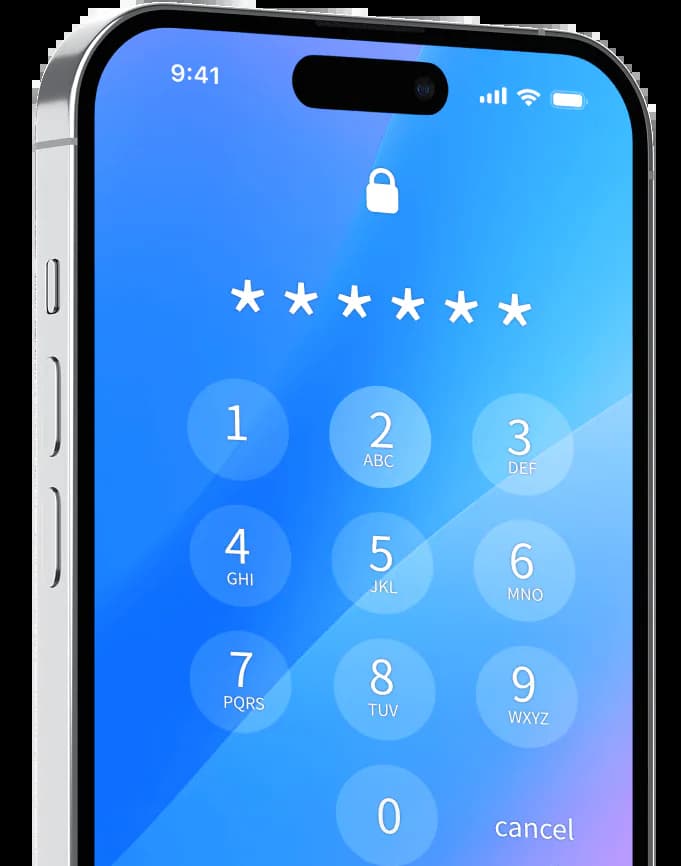
Screen Lock & Apple ID Recovery
Diagnose lockout states, remove forgotten lock screen passcodes, and verify Apple ID activation eligibility over USB.
Supported transports & tooling
7 boot modes · 4 chipset families · 495+ catalogued models
Free Device Pre-Check Before Activation
You can run FRPB Desktop V2 and evaluate your hardware readiness completely free before purchasing a license. Confirm device detection, inspect chipsets, diagnose drivers, and check compatibility with zero financial commitment.
Detect Connected Device
Connect via standard USB. Non-blocking host bus poller identifies attached devices in real time.
Inspect Device Information
Inspect reported hardware descriptors, brand, model, serial / port, and physical chipset architecture.
Diagnose Connection & Drivers
Identify active mode (ADB, Fastboot, BROM, EDL) and check whether OEM USB drivers are bound or missing.
Search Compatibility Catalog
Query 494 verified models and 19 Exynos SoCs to verify supported modes and hardware key combinations.
Review Pre-Check Verdict
Confirm diagnostic status (READY FOR RECOVERY) before purchasing an activation key.
Clear Boundary: Pre-check diagnostics, device identification, driver checks, and catalog queries are 100% free with no account. An active license key is only needed when executing recovery operations (clearing FRP locks or flashing firmware).
Everything you need to rescue a device
A focused toolkit that removes the guesswork from driver installs, recovery modes and firmware restore — designed for technicians and authorized owners alike.
USB Device Detection
Real-time USB enumeration with chipset fingerprinting — Download, Recovery, EDL, BROM and fastboot modes recognised the instant you plug in.
Exynos / SD
EDLSnapdragon
fastbootTensor
RecoveryOne-Click FRP
Guided factory reset protection removal with verified, rollback-safe procedures for Samsung, Xiaomi, Vivo, OPPO and Pixel.
Live Logging
Streamed ADB, fastboot and driver output in a built-in console with exportable session logs.
Driver Center
Detects missing OEM USB drivers and installs the correct package automatically — MediaTek, Qualcomm and vendor-specific.
Guided Recovery
Step-by-step visual walkthroughs for every mode, written by engineers who flash phones for a living.
Powerful Desktop Utilities
Four standalone utilities that run entirely on your PC — transfer WhatsApp and phone data, wipe a device, or mock your location. Included with an FRPB Active License — download the desktop software to get started.
WhatsApp Transfer
Move WhatsApp chats, photos and videos to a new Android phone in minutes — no cloud backup needed.
WhatsAppExplore ToolPhone Transfer
Copy contacts, photos, videos, SMS and apps between any two Android phones in 1 click.
Any AndroidExplore ToolData Eraser
Permanently erase all data from your Android phone in 1 click before selling it.
All Android dataExplore ToolVirtual Location
Set any GPS location on your Android phone in 1 click — no root required.
GPS locationExplore ToolLooking for FRP removal? Explore the full toolkit →
Hardware Requirements & Honest Boundaries
Clear expectations before you begin. FRPB separates free hardware diagnostics from paid unlock routines, with verifiable system requirements and zero false claims.
System Prerequisites
- • 64-bit Windows 10 or Windows 11 PC.
- • High-quality, data-capable USB cable (OEM recommended).
- • Direct motherboard rear USB port (avoid passive USB hubs).
- • Administrator access for automatic USB driver installation.
Free Diagnostics vs Paid
- • Free download: Device connection check, USB driver setup, and chipset/mode detection.
- • Free utilities: WhatsApp backup transfer, ADB helper, reboot utilities.
- • Paid license ($20 / 6 mo): Automated FRP unlock routines, bootloader scripts, and flash execution.
Verified Scope & Limits
- • Supported Android execution: MediaTek BROM, Qualcomm EDL 9008, Samsung Odin Download Mode, and fastboot.
- • Apple iOS scope: DFU & chipset diagnostics. Checkm8 hardware boundaries are documented as educational recovery guides, not automated in-app unlocks.
- • Unsupported: Enterprise remote MDM, Knox Guard active hardware lock, or iCloud on A12+ (iPhone XS and newer).
Delivery & Human Support
- • Instant key generation & delivery to your email immediately upon payment confirmation.
- • Official technical assistance provided via dedicated Telegram channel and email.
- • 7-day money-back guarantee if a verified supported model cannot be resolved by support.
Dedicated Platform Licenses — Android & iOS
Dedicated Android and iOS licenses with simple, transparent pricing. Choose the platform plan that fits your repair and diagnostic workflow.
Android from $20 (180 Days) · FRPB iOS V1 at $49/mo (1 PC)
Select the plan for your hardware workflow. Automated key delivery right after payment with our 7-day refund guarantee.
6 Month Plan
180 days of full Android access · 1 PC license
- 1 PC workstation activation
- 180 days full access
- Free Android updates for 180 days
- Full device recovery toolkit
- Driver Center + recovery guides
- 1 device activation
- Email support
Lifetime Plan
5 device activations · Lifetime access
- 5 PC activations (transferable)
- Lifetime Android license
- All future Android updates included
- Full device recovery toolkit
- Driver Center + recovery guides
- 5 device activations
- Priority email support
- All feature updates forever
FRPB iOS V1
1 PC workstation per license · Monthly renewal
- 1 PC workstation per license
- 7-day refund window (support@frpb.in)
- iPhone X through iPhone 17 Pro Max
- Screen Lock & Activation Lock Bypass
- Apple Account & Face ID Bypass
- Screen Time & Carrier eSIM Bypass
- Firmware & System Recovery Bypass
- Driver Center & USB mode inspection
- 1 PC per license · Cancel anytime
FRPB is a device utility intended for authorized device owners only. You must have the right to access the device you recover. Use of FRPB to bypass security protections on devices you do not own may violate applicable laws.
Step-by-step recovery guides
Follow illustrated, model-specific walkthroughs for Download mode, Recovery, ADB, Fastboot, Qualcomm EDL and MediaTek BROM — including honest guidance on the device locks that cannot be cleared in software.
7 boot modes · 4 chipset families · download & activate with your license
Frequently asked questions
Everything technicians ask before they run their first FRP bypass or flash reset with FRPB.
Is FRPB safe to download?
Yes, FRPB is clean, tested, and hosted via official GitHub Releases.
Which Android versions does FRPB support?
FRPB supports Android 10 through Android 16 (2026) across Samsung, Xiaomi, Vivo, Oppo, Realme, Motorola, OnePlus, Google Pixel and most other Android brands.
Does FRPB require a PC?
Yes, FRPB Desktop App runs on Windows PC with one-click automated drivers.
What is an FRP lock and what does the FRPB FRP bypass tool do?
FRP (Factory Reset Protection) is the Google account lock Android applies after a factory reset. FRPB is an FRP bypass tool that detects a connected Samsung, Xiaomi, Vivo or Oppo device over USB and walks you through removing the FRP lock so an authorised owner can use the phone again.
Which devices and chipsets does the Samsung and Xiaomi FRP tool support?
FRPB supports Samsung, Xiaomi, Vivo, Oppo, OnePlus, Google Pixel and most other Android brands across Qualcomm, MediaTek and Exynos chipsets. The flash reset app auto-detects Download mode, Recovery mode, EDL and fastboot so you do not have to pick the method manually.
Do I need USB drivers or ADB installed before using FRPB?
No. FRPB bundles high-speed USB auto-detection and a one-click OEM driver installer. It checks for the correct Samsung, Google, OnePlus, MediaTek or Qualcomm driver and installs it for you if it is missing — nothing else to set up.
Does the FRPB FRP lock removal app require a license?
Yes. Download the FRPB desktop app, then activate an FRPB Active License to unlock the full FRP lock removal and flash reset toolkit across one to five devices. 6-month and lifetime licenses are available, and every license verifies online over TLS with hashed device binding.
Which Windows versions does the FRPB desktop app support?
FRPB runs on Windows 11 and 10 (64-bit). The installer is code-signed and served with a SHA-256 checksum, and includes no adware or bundled toolbars.
Is it legal to use an FRP bypass tool?
FRPB is intended strictly for authorised device owners and repair professionals. You must own the device or have explicit permission from its owner. Using an FRP bypass tool on a device you do not own may break anti-theft protections and violate applicable law.
How long does the $20 plan last?
The $20 plan provides 6 months (180 days) of full access for $20 USD (₹1,900 INR). All features, regular model updates, and priority customer support are included throughout the 180-day period.
How is my FRPB license key delivered after purchase?
Instantly by email. The moment your payment is confirmed, your license key is emailed to the address you entered at checkout — there is no WhatsApp step and no manual approval. If it has not arrived within a few minutes, check your spam folder, then reach our official Telegram support channel and we will re-send it.
What support is available if I get stuck during setup?
Support is handled through our official Telegram channel and email. The team helps with installation, USB/OEM drivers, device detection and FRP workflow questions. We do not offer WhatsApp support — always verify you are in the official Telegram channel before sharing any details.
Which devices is FRPB compatible with?
FRPB is compatible with most Android phones from Samsung, Xiaomi, Vivo, OPPO, Realme, OnePlus, Motorola, Tecno, Infinix and Google Pixel, across Qualcomm, MediaTek and Exynos chipsets running Android 10 through Android 16. Use the on-page device compatibility checker to confirm support for a specific model before purchase.